Create a contract
Create a contract through Define, Compose, Schema, Publishing, Governance, and Review. Save a draft while you work, then publish when the consumer-facing API and required approvals are ready.
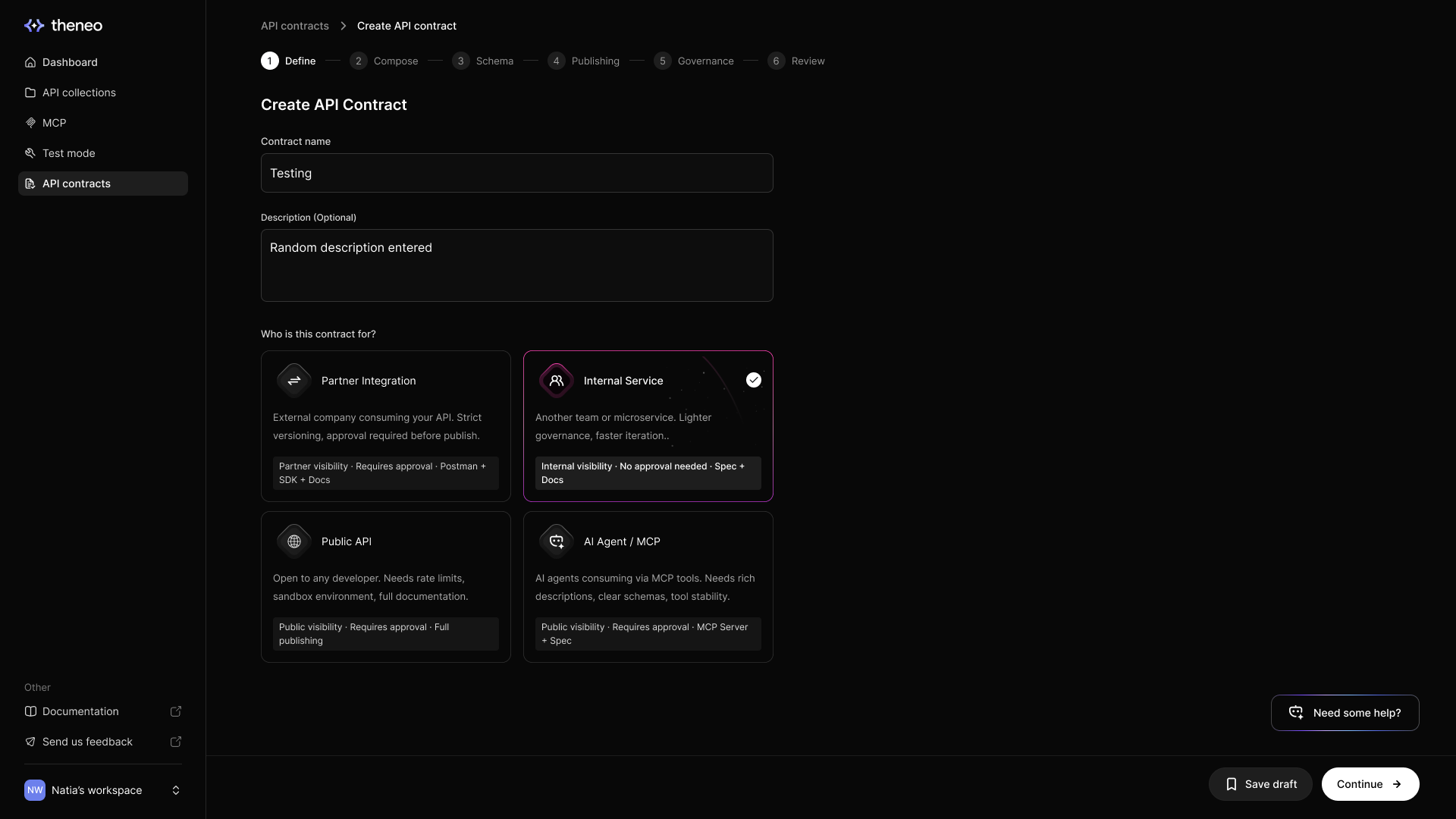
Define | Name the contract and choose its audience. Review the approval and sharing defaults. |
Compose | Choose the collections and operations your consumers need. |
Schema | Review fields, required values, constraints, PII flags, and examples. |
Publishing | Choose supported destinations and configure credentials. SDK and ReadMe targets are coming soon. |
Governance | Choose the breaking-change policy, approval requirements, and stakeholders. |
Review | Inspect the final endpoints, exposed fields, warnings, and approvals before publishing. |
The AI assistant is a co-author, not a chatbot
Use the contract assistant to select endpoints and refine their schemas in the wizard:
Mode | Example instruction |
Compose | Include the read-only order endpoints for partner integrations. |
Schema | For the selected order endpoints, describe orderId and exclude fields marked internal. |
Contract assistant changes can be applied progressively to the draft. Review the progress and changed content as it works. Stop ends further generation; changes already applied can remain. Inspect the draft before retrying or publishing.
Where to go next

Field-level exposure & PII
The Schema step in depth: per-field toggles, PII and internal flags, and the exposure tally.

Publishing targets
Publish the reviewed spec, documentation, MCP server, mock responses, and supported tooling. SDK publishing is coming soon.
Continue editing an existing contract
Use Compose when changing endpoint selection and Schema when refining the fields of endpoints already selected. Review existing endpoint identities and mappings so a schema change does not accidentally change the consumer-facing surface. The contract wizard's progressive editing flow differs from the spec editor's Accept all / Reject all proposal workflow.


On this page
- Create a contract