The enterprise MCP gateway
Elva hosts an MCP gateway between your agents and the APIs you expose. The gateway matches calls to published tools, applies the configured upstream authentication, forwards requests, and records call results.
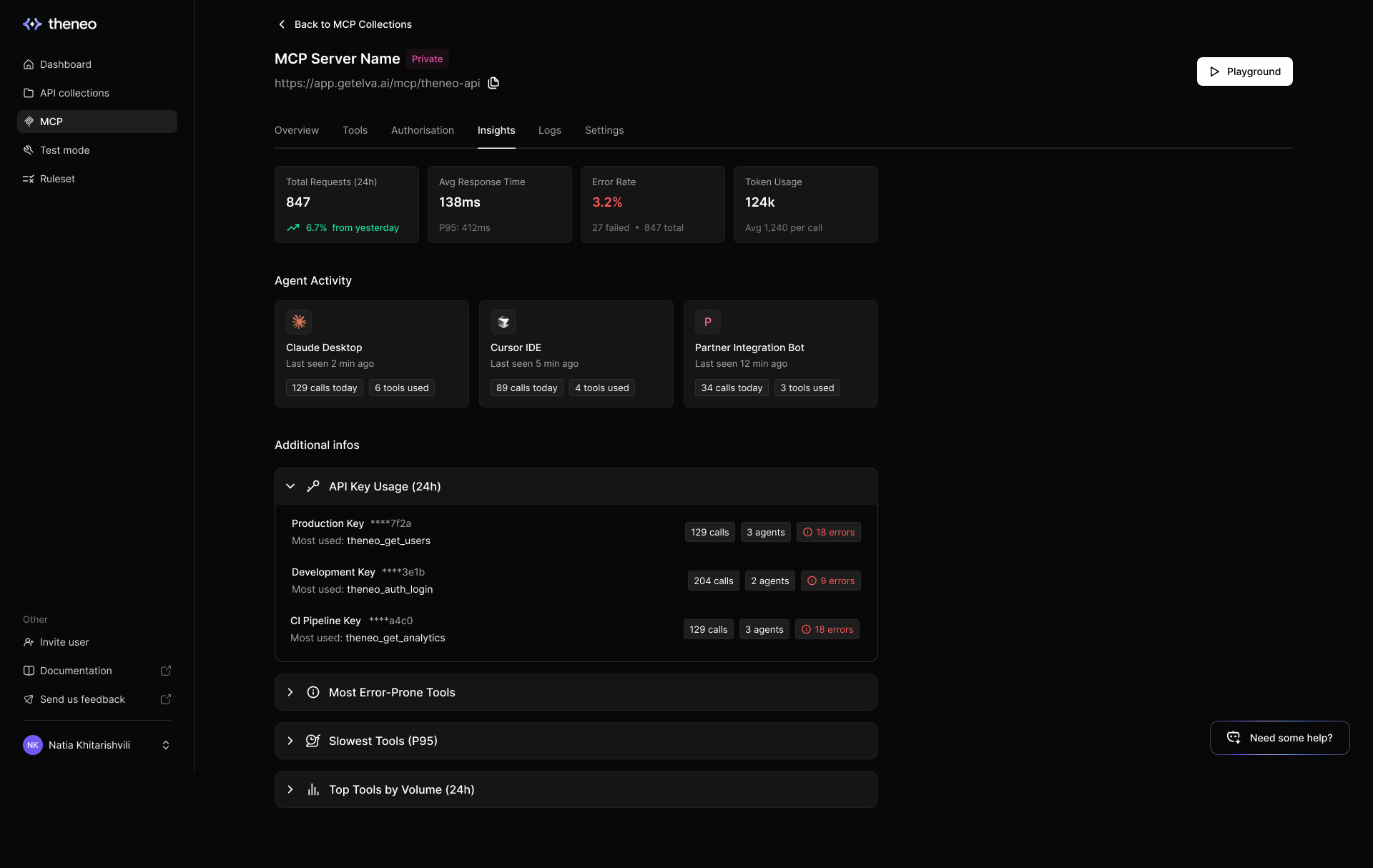
Use a managed MCP deployment to select operations, configure upstream authentication, and observe tool activity in one place.

The illustration shows an authenticated connection. A deployment configured with no upstream authentication does not require a credential. The available log fields depend on the client and authentication flow.
What happens on every single call
A tool call passes through these stages:
Stage | Behavior |
Authentication | The configured auth flow supplies upstream credentials. No-auth deployments intentionally do not require an upstream credential. |
Tool selection | The requested tool must be included in the published deployment. |
Request forwarding | The gateway builds the upstream request and attaches the configured credential. |
Results and logs | The result is returned to the client; logs record available tool, agent, status, and timing information. |
Control what agents can touch
Choose the operations consumers need, review their configuration, and publish. Use isolated test accounts and data: Playground and API testing can make real upstream requests. After a source change, sync or rebuild the definition and publish it to update deployed tools.
Saved deployment secrets are encrypted at rest. Credentials supplied by a client and OAuth connections follow their configured flow. Your upstream API still enforces permissions, scopes, and tenant boundaries.
Answers for the questions security will ask
Use MCP insights and logs to review activity and attribution where available. To remove access, update the deployment or revoke the relevant upstream credentials. Install-page visibility only controls onboarding-page access; it does not revoke existing tool access.
One gateway, every agent
Share the deployment's install page with consumers using a supported MCP client. Verify client permissions, authentication, and tool behavior for each intended integration.


On this page
- The enterprise MCP gateway