API testing
Send real HTTP requests from an endpoint's request panel and inspect the status, headers, body, and timing. Elva sends requests through a hosted proxy, which avoids browser CORS restrictions.
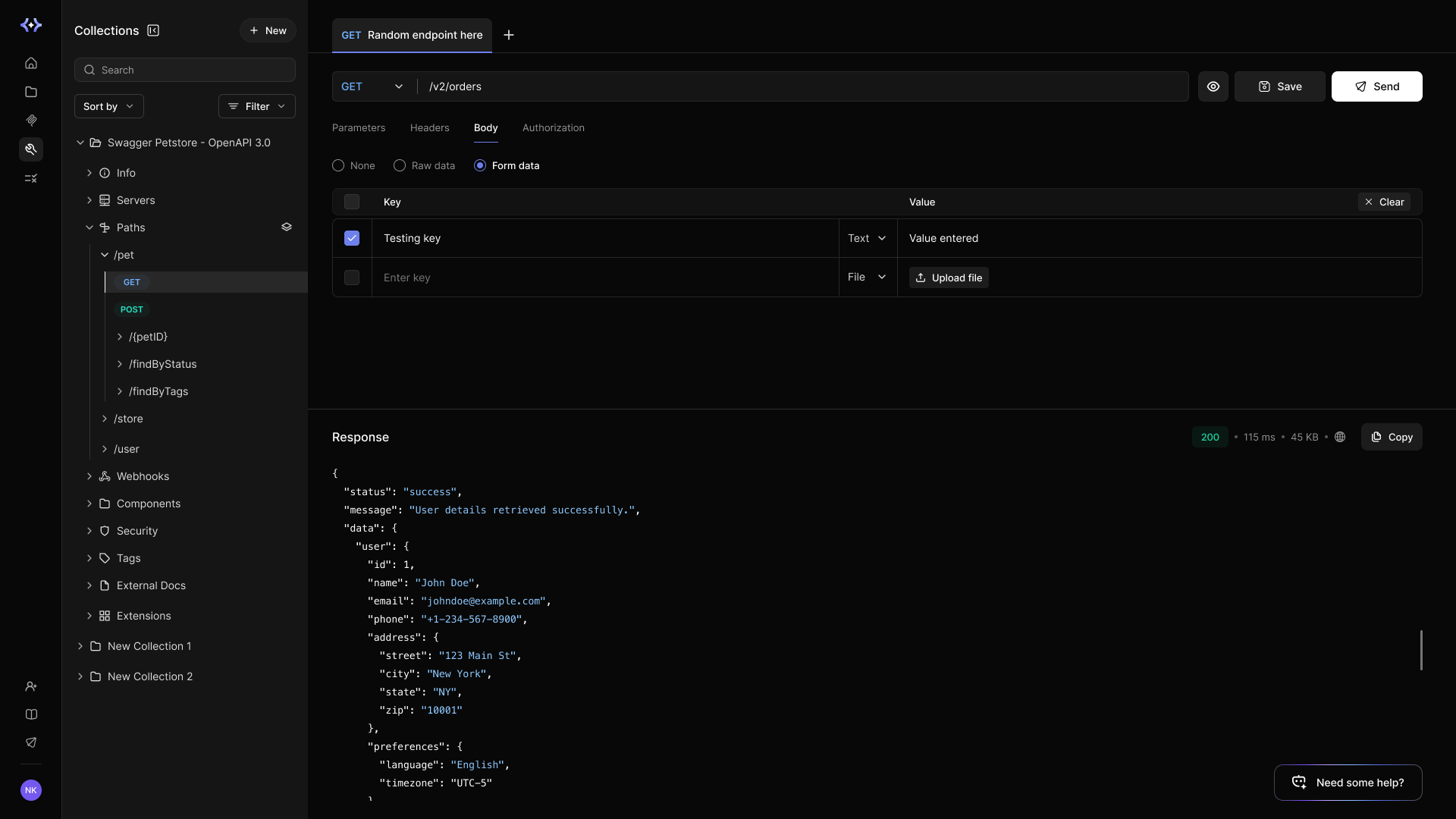
From reading docs to sending requests in one click
The usual testing ritual is a context-switch tax: copy a curl command, export to another tool, recreate auth in a local environment, and hope the docs you copied from were current. In Elva there is nothing to set up. Open any endpoint in the catalog, and the request panel is already there, built from the same spec you are reading. Pick a server, fill the blanks, hit send.
What the workbench gives you
Capability | What to expect |
Real requests | Requests reach your selected API server and can change real data. |
Spec-based inputs | The panel uses the endpoint's parameters, headers, and request schema. |
Hosted network access | Use a publicly reachable API or authenticated public staging endpoint. Localhost, loopback, private IP addresses, and internal-only hosts are blocked. |
Authentication | Supply credentials in the request controls, using an account with the permissions you want to test. |
Why testing lives inside the catalog
Testing uses the current collection specification. A successful request helps validate the API definition, but an MCP deployment can have different operation selection, authentication, or a previously published definition. Test the published MCP tool separately before sharing it.
Try it on your own API
Import a spec, connect a repo, or point Elva at a URL, and every endpoint arrives with its workbench attached. Your first real request is a few minutes away at app.getelva.ai.
Send your first request
Open a collection and select an endpoint. Choose the intended server, enter path and query parameters, add the required authentication, and review the request body. Start with a read-only endpoint. Send the request, then compare the response with the documented status and schema.
Write operations can change real data. Use test accounts and test data appropriate to the selected environment, and review the action before sending a request.
If a request fails
Problem | Check |
Authentication or authorization error | Credential, scopes, and resource permissions. |
Blocked address | Use an approved publicly reachable test endpoint. |
Timeout | API reachability and response time. |
Invalid request | Replace example placeholders with valid test values. |


On this page
- API testing